C
Customer and vehicle
Keep the customer, phone, vehicle, plate, notes, and service history attached to every repair order.
MecaLink turns every job into a clear repair order: customer, vehicle, labor, parts, photos, technician progress, payment status, and follow-up stay connected from the first estimate to the next visit.

Labor, parts, customer, vehicle, status, and payment details stay in the same workflow.
A repair order should not be a loose note. It should connect the customer, vehicle, requested work, approved labor, parts, photos, payment status, and what still needs to be done.
MecaLink keeps repair orders practical for the owner, front desk, and technician without making the team manage a heavy enterprise system.
Keep the customer, phone, vehicle, plate, notes, and service history attached to every repair order.
Add labor items clearly so the team knows what was sold, what is pending, and what was completed.
Attach parts to the repair order and keep usage connected to inventory and pricing. See parts inventory software.
Track jobs from estimate to in progress, ready, completed, or delivered with less back-and-forth.
Save photos and attachments so the shop can document how the vehicle arrived and what was done.
Connect repair orders to receivables and payment status so the owner can read cash flow faster.
The goal is to reduce repeated typing and keep every approved job moving through a clear shop process.
Add customer, vehicle, labor, parts, and notes. See estimate software.
Move approved work into the repair order workflow.
Technicians update status, services, photos, and progress. See scheduling software.
Register paid and pending amounts with the job record.
Use history and reminders to bring customers back.
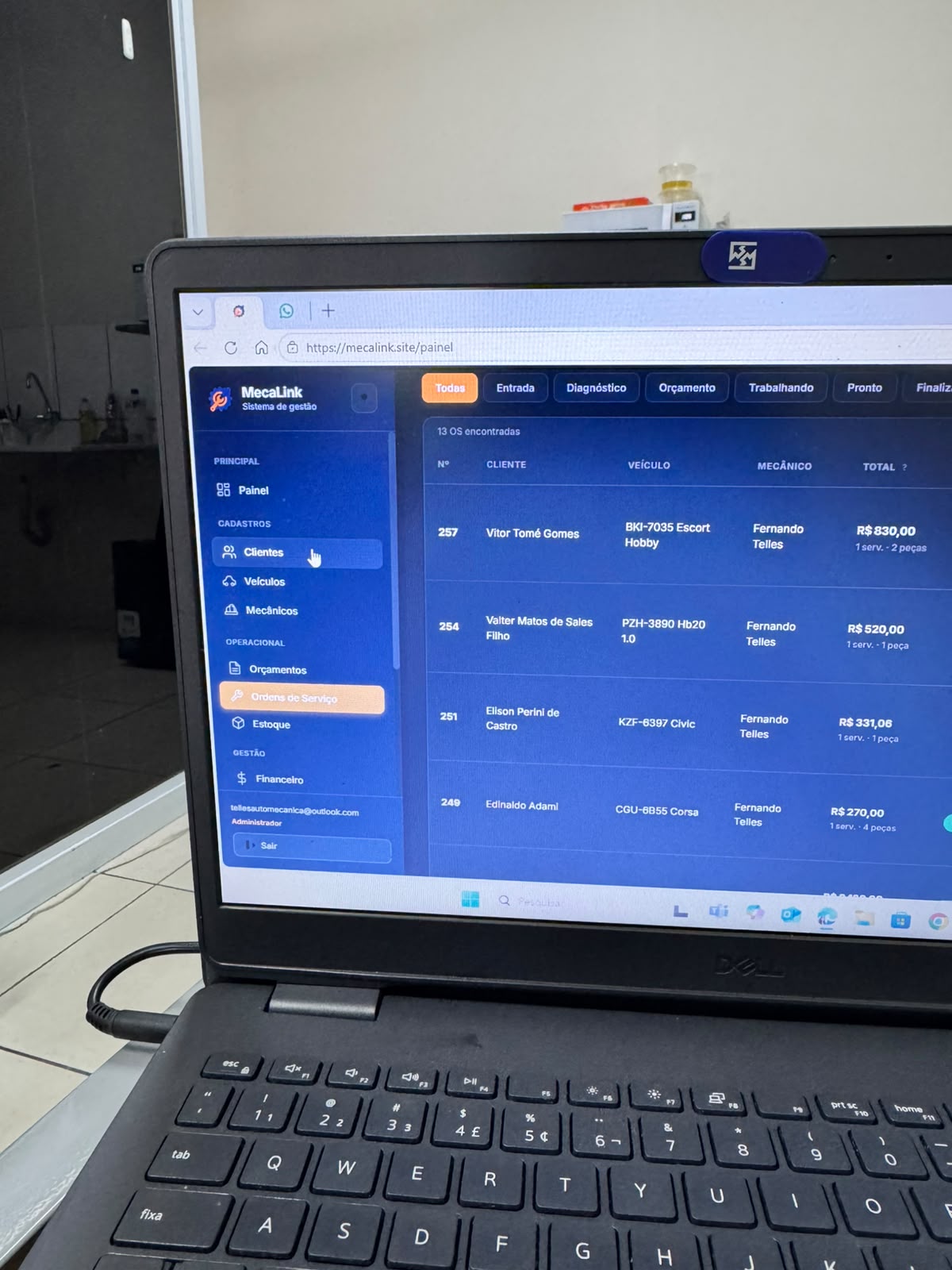
"A repair order should tell the team what was approved, what was done, what is missing, and what the customer needs next."
One US plan with repair orders, estimates, customers, vehicles, inventory, schedules, payments, reminders, and support. Monthly billing is $49/month; annual billing is $490/year.
See how MecaLink organizes customers, vehicles, labor, parts, photos, status, payments, and follow-up from one place.
A useful repair order should include customer, vehicle, requested work, approved labor, parts, status, photos, payment status, and notes.
Yes. An estimate helps quote the job. A repair order helps run and track the approved work inside the shop.
Yes. Parts can be attached to repair orders so the shop can track usage, pricing, and inventory more clearly.
MecaLink includes customer follow-up and repair status links so the shop can communicate progress more easily.
MecaLink is specialized in repair shops of different sizes that need organization without unnecessary complexity.
Create your shop account, choose monthly or annual billing, complete secure Stripe Checkout, and start with the repair order workflow that fits your shop routine.
Use MecaLink to connect customers, vehicles, labor, parts, photos, status, payments, and follow-up in one repair shop workflow.
Start 7-day trial